MongoDB Hosting
Run document-database workloads on India VPS with dedicated RAM, predictable storage, and cleaner remote access than shared hosting can provide.

Launch database workloads on India VPS infrastructure from HostMyCode with aaPanel-based self management, full root and database administrator access, firewall controls, static IP, remote access, and cleaner server ownership than generic shared hosting can offer.
Choose your India VPS plan below, then open a ticket for database installation and setup. For the broader VPS catalog, compare VPS Hosting India. Running an app stack alongside the database? See application hosting.




Use this service when the database itself needs room, stability, remote control, and cleaner security handling. It is a much better fit for production or growing workloads than relying on general shared hosting environments.
Run document-database workloads on India VPS with dedicated RAM, predictable storage, and cleaner remote access than shared hosting can provide.
Deploy PostgreSQL for production applications, analytics stacks, dashboards, and internal tools that need stronger database control.
Use MariaDB on India VPS infrastructure when you need MySQL-compatible database hosting with better server-level control and room to scale.
Run search, indexing, and log-analysis workloads on VPS resources that suit Elasticsearch much better than general website hosting plans.
This database hosting service uses aaPanel for self GUI-based management, making database operations, package setup, server administration, and day-to-day configuration easier to handle.
Get full root access to the server and full administrator-level access to the database environment so you can manage services, users, configuration, extensions, and performance settings directly.
Keep a fixed IP and firewall-level control around your database environment so application connections and remote administration stay more predictable.
Connect remotely to manage your services and databases directly, with the flexibility that usually matters for production database workflows.
After purchase, open a ticket and the HostMyCode team can help with installation and first-time setup for the database stack you plan to run.
Use free automatic backups together with manual backups whenever needed, so recovery is clearer when you are running production, staging, or development workloads.
Work with familiar tools like phpMyAdmin, phpPgAdmin, and related database-management utilities where the stack supports them, instead of relying only on command-line access.
Database hosting on India VPS gives you dedicated CPU, RAM, storage, and network resources instead of sharing a generic web-hosting environment.
This service uses aaPanel for GUI-based server management, while the underlying VPS gives you the static IP, remote access, firewall control, and isolated resources that database workloads usually need.
Keep database access predictable when applications, APIs, dashboards, or external services need a known endpoint and stronger control over how they connect.
Database workloads usually need more careful access control than standard web hosting. This service gives you full root access to the server, administrator-level database control, and the room to manage security rules properly.
Use free automatic backups, take manual backups when needed, and work with familiar tools like phpMyAdmin or phpPgAdmin where the stack supports them.
The service uses aaPanel for day-to-day database and server management. These interface previews show the kind of control surface available for database administration, access handling, and routine management tasks.
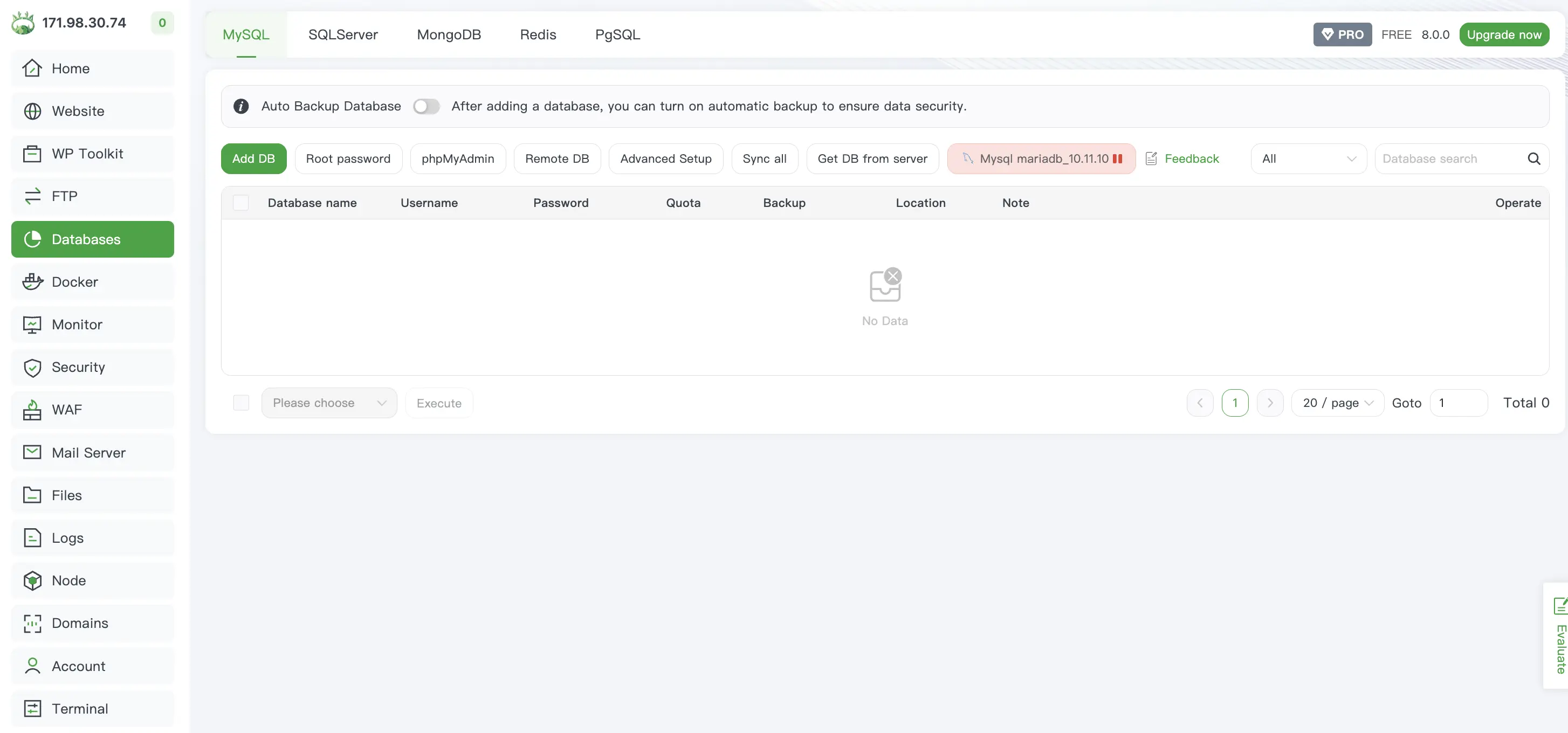
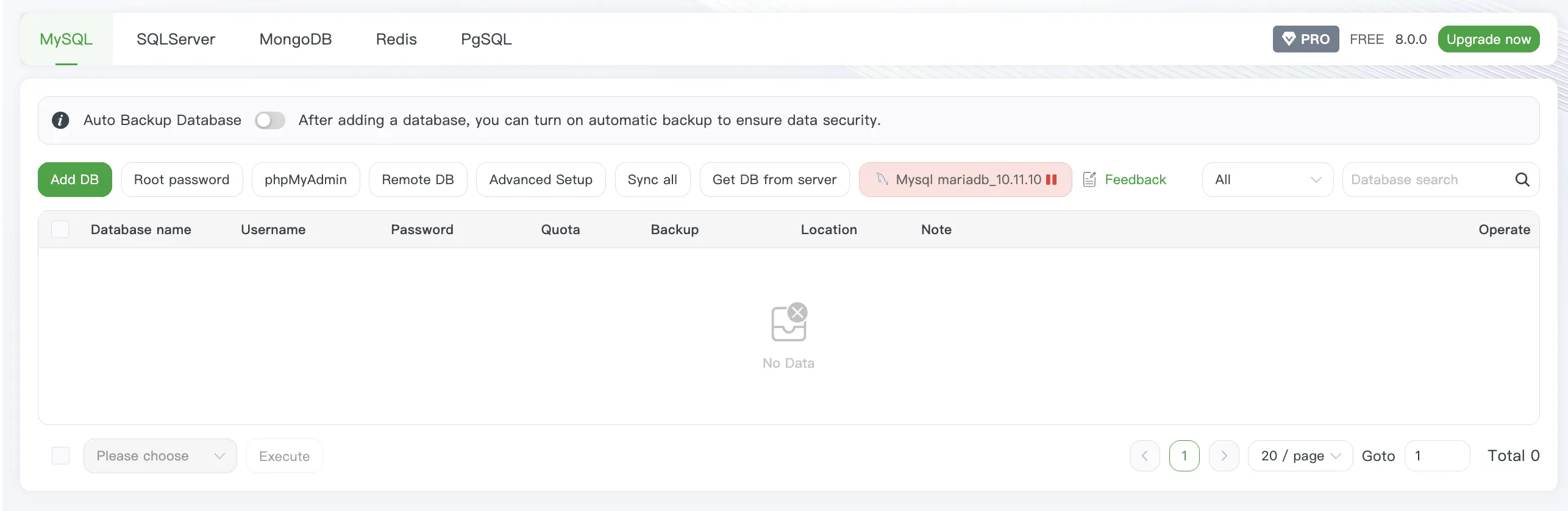
Choose the India VPS size your database workload needs first. Then open a ticket so the HostMyCode team can handle installation and setup around the database engine, access pattern, and management flow you need.
Every India VPS is protected by Cloudflare Magic Transit, so volumetric network attacks are absorbed at Cloudflare's edge before they reach your server.
Annual billing on this starter tier.
Instant VPS deployment.
Instant VPS deployment.
Instant VPS deployment.
Instant VPS deployment.
Instant VPS deployment.
Instant VPS deployment.
Instant VPS deployment.
Instant VPS deployment.
Instant VPS deployment.
Instant VPS deployment.
1 vCPU • 1 GB RAM
Up to 2.5 GHz
2 vCPU • 2 GB RAM
Up to 2.5 GHz
4 vCPU • 4 GB RAM
Up to 2.5 GHz
6 vCPU • 6 GB RAM
Up to 2.5 GHz
8 vCPU • 8 GB RAM
Up to 2.5 GHz
12 vCPU • 12 GB RAM
Up to 2.5 GHz
16 vCPU • 16 GB RAM
Up to 2.5 GHz
24 vCPU • 32 GB RAM
Up to 2.5 GHz
32 vCPU • 64 GB RAM
Up to 2.5 GHz
48 vCPU • 128 GB RAM
Up to 2.5 GHz
64 vCPU • 192 GB RAM
Up to 2.5 GHz
After choosing your India VPS plan, open a support ticket and share the database engine you want to run. HostMyCode can help with installation and initial setup so the environment is prepared properly from the start.
Share whether you plan to run MongoDB, PostgreSQL, MariaDB, Elasticsearch, or a database paired with your application backend.
The setup can cover the base server, database installation, aaPanel preparation, initial access layout, and the first security direction around firewall and remote access.
Once the base is ready, you keep the VPS advantages that matter for database hosting: isolated resources, static IP, direct access, and much cleaner management flexibility.
Answers about database hosting, India VPS fit, aaPanel-based management, installation help, and the kinds of production workloads this service is built to run.
This database hosting service is built for MongoDB, PostgreSQL, MariaDB, and Elasticsearch workloads on India VPS infrastructure. It suits application backends, analytics stacks, search workloads, internal business systems, development databases, and production environments that need server-level access and cleaner resource control.
Yes. The service is positioned for these database engines, and you can choose the right India VPS plan based on how heavy the workload is, whether you are running one database engine or multiple services together, and how much RAM, CPU, and storage the deployment needs.
Yes. After purchasing the VPS plan, you can open a support ticket and HostMyCode can help with installation and initial setup. That can include preparing the base server, installing the required database stack, and setting up the aaPanel environment for easier ongoing management.
Yes. This service uses aaPanel for self GUI-based management and configuration, which makes it easier to work with server settings, packages, security controls, and database-related administration compared with managing everything only through the command line. Database-management tools such as phpMyAdmin and phpPgAdmin can also be part of the setup where they fit the stack you are running.
Yes. The service is built around India VPS infrastructure, so you get full root access to the server, full administrator-level database access, static IP availability, firewall-level control, and remote-access flexibility that are important for database workloads, applications, team access, and external service connections.
Yes. Shared hosting is not the right fit when the database itself is the workload you need to control. This service is designed for database hosting on VPS infrastructure, where isolated resources, remote access, security rules, and server-level configuration matter much more.
That depends on the database engine, expected data size, memory requirements, query pattern, indexing needs, and whether the server is also handling applications or APIs. Review the available India VPS plans and open a ticket if you want HostMyCode to help size the right option before installation.
Yes. This service is suitable when your application stack and database layer need to live on VPS infrastructure together. Many users run APIs, dashboards, admin panels, web applications, and internal tools alongside MongoDB, PostgreSQL, MariaDB, or Elasticsearch depending on the deployment footprint.